Think it through as fast as you can type.
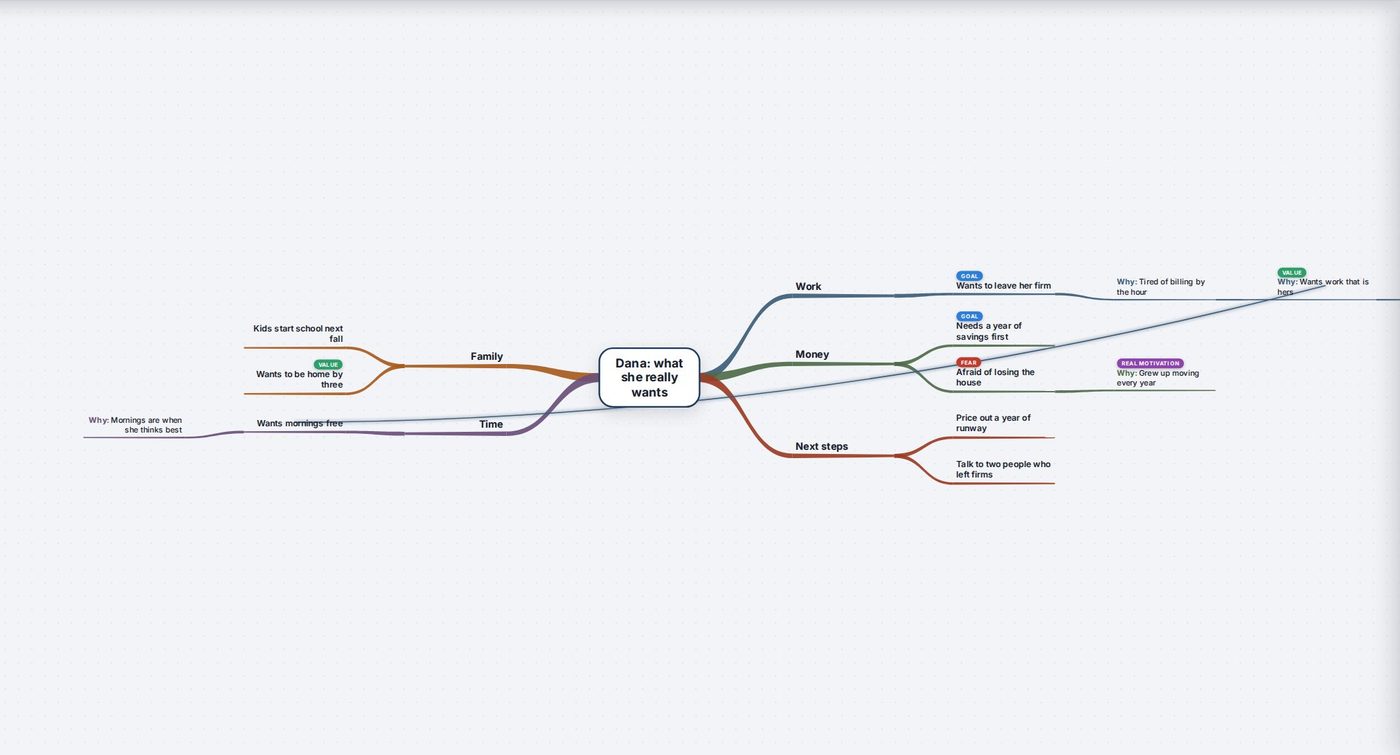
Start from one idea in the middle and branch out. Tab adds an idea under the one you picked, Enter adds the next one beside it, and every branch gets its own color. It works the way XMind and MindNode do, in your browser.
Start Your Mind MapFree to start. No card needed.
The keys you already know
Tab, Enter, Space or F2 to type, the arrows to move around, and the slash key to fold a branch away. Just start typing to write over an idea.
Click to pick, click again to type
One click picks an idea, a second click lets you type. Drag an idea onto another to move it there. Nothing opens unless you ask.
Ask Why
Under any idea, Ask Why adds the reason beneath it, so a plan says what each part is for.
Meetings
Start a meeting and everything added is marked with it, so you can see what came up the second time you talked.
Bring your maps with you
Open maps from FreeMind, Freeplane, Coggle, MindMeister, XMind, MindManager, OPML, Markdown or a pasted list, and save yours for the other apps.
Free to start
No card needed. Your first week comes with everything, and after that you keep working for free with a few limits.
Questions
Do I have to use the mouse?
No. You can build a whole map from the keyboard, the same keys mind map apps use.
Can I open my old mind maps?
Yes. Drop a FreeMind, Freeplane, XMind, OPML or Markdown file on the wall and it comes in as its own map.
Is it only for mind maps?
Every idea is a pin, so the same ideas can sit on a timeline, a list or a board too.
Think it through as fast as you can type.
Start Your Mind Map